## PowerPoint Becomes The Workspace The core pitch is simple: users can ask ChatGPT to build or revise slides in plain language while the presentation remains editable in PowerPoint. That distinction is important. Many AI presentation tools generate a finished artifact that looks useful at first but becomes frustrating when teams need to adjust copy, change structure, move elements, or align the deck with an internal template. OpenAI is taking a more embedded route. ChatGPT works inside PowerPoint, reads the structure of the deck, and can help preserve slide content as editable objects. A user can ask it to create a new section, rewrite a dense slide, sharpen the story, generate speaker-ready summaries, or convert raw material into a cleaner deck outline. That makes the add-in less of a novelty slide generator and more of a drafting layer for presentation work. The value is not only that ChatGPT can create slides. It is that it can stay close to the deck as the user revises, reviews, and prepares it for an actual audience. 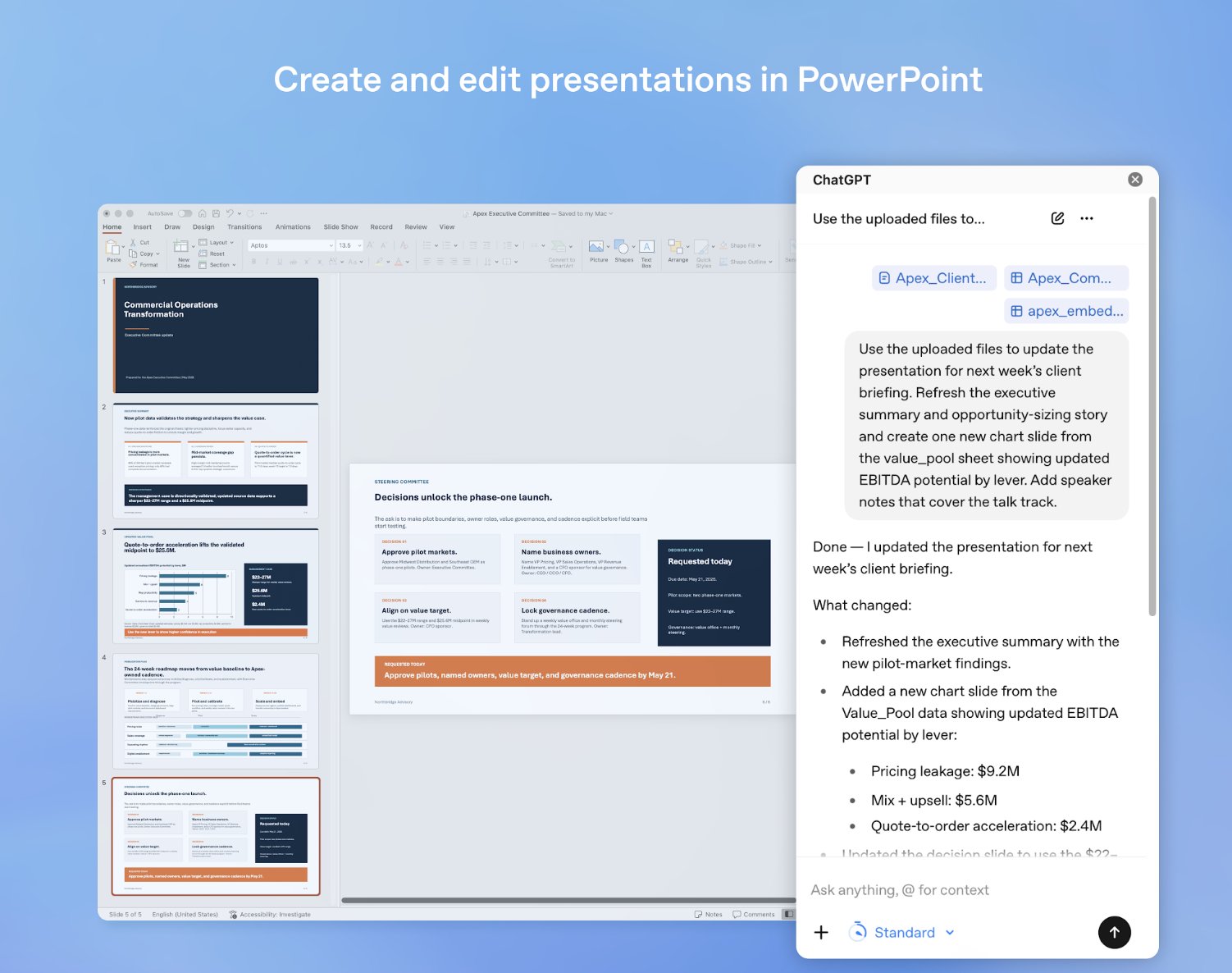 *Source: OpenAI* ## OpenAI Is Targeting The Messy Middle Of Deck Work The most useful presentation work often happens between a blank page and a finished deck. A team may already have a spreadsheet, meeting notes, a product brief, screenshots, survey results, or an old deck that needs to become something sharper. ChatGPT for PowerPoint is aimed at that middle layer, where the problem is not creativity alone but organization. Users can ask the add-in what a presentation is really saying, where the narrative is weak, what is missing, and what an executive audience is likely to challenge. That is a more interesting use case than simple slide generation because it positions ChatGPT as a reviewer as well as a creator. The trust question still remains. OpenAI says users should review changes, check important claims and numbers, and keep control before sharing. That caveat is not a small detail. In business decks, a wrong figure, unsupported claim, or overly confident summary can create real problems. The add-in may reduce formatting and drafting time, but it does not remove the need for human judgment. ## Better Ideas For Using ChatGPT In PowerPoint The strongest use cases will likely be the ones that combine source material with a clear audience. A founder could turn customer research, revenue notes, and product screenshots into an investor update that separates traction from risk. A sales team could adapt a generic pitch deck for a specific account, using CRM notes and product usage data to make the narrative less templated. A teacher could turn a lesson plan into a visual classroom deck with recap slides, discussion prompts, and a final knowledge check. For internal teams, the add-in could be useful for converting a long strategy memo into a leadership briefing, turning a spreadsheet into a board-ready trend story, or building a postmortem deck that separates what happened, why it happened, and what changes next. Marketing teams could use it to create campaign recap decks from performance exports, while product teams could turn roadmap notes into stakeholder updates with clearer tradeoffs and dependencies. The key is to treat ChatGPT as a presentation editor, not only a slide machine. Asking it to improve sequence, cut repetition, identify weak claims, write speaker notes, or generate alternate versions for different audiences may be more valuable than asking it to produce a full deck in one pass. ## Availability Is Broad, But Still Beta ChatGPT for PowerPoint is available in beta globally for ChatGPT Business, Enterprise, Edu, Teachers, and K-12 users, as well as Free, Go, Pro, and Plus users. It can be installed from PowerPoint through Home, then Add-ins, by searching for ChatGPT. OpenAI also points users to the [Microsoft marketplace listing](https://marketplace.microsoft.com/en-us/product/office/WA200010215?tab=Overview) for the add-in. That broad availability suggests OpenAI wants this to become a mainstream workflow quickly, not a narrow enterprise experiment. PowerPoint is still one of the default formats for business communication, education, consulting, sales, and leadership reporting. If ChatGPT becomes useful there, OpenAI gets closer to the daily work products people already create. It also puts pressure on Microsoft. Copilot is already embedded across Microsoft 365, including PowerPoint. OpenAI's add-in gives ChatGPT a more direct route into the same productivity surface, creating an unusual dynamic where OpenAI is both a Microsoft partner and a product competitor inside Microsoft's own ecosystem. For users, the immediate question is practical: can the add-in produce decks that are easier to edit, easier to present, and less generic than first-generation AI slide tools. If it can, ChatGPT for PowerPoint may become one of OpenAI's most familiar workplace features, not because making slides is glamorous, but because almost everyone has had to make one under pressure. --- *Originally published on [Daily AI Mail](https://dailyaimail.news)*Have you ever thought to yourself: I really don't want to make this PowerPoint.
— ChatGPT (@ChatGPTapp) May 21, 2026
Good news: ChatGPT can now create and edit presentations directly in PowerPoint.
Build, update, understand, and polish presentations directly in PowerPoint while keeping slides editable.
Now in... pic.twitter.com/q3rTN24AHh